

Onehub vs Orangedox
Onehub data room plans start around $375/month, while Orangedox gives you unlimited Google Drive-synced data rooms with document tracking, NDA gating, and up to 500 participants per room at a flat $195/month.










Customers
Hear what our customers have to say.


TL;DR Onehub vs Orangedox, in one paragraph
Onehub Data Room edition starts at $375 per month. Orangedox provides unlimited Google Drive synced virtual data rooms with NDA gating, analytics, watermarks, and up to 500 viewers for $195 per month. In short, Orangedox is about twice as affordable for the same use cases and adds Drive and Dropbox integration plus per-page engagement tracking.
- Onehub Data Room edition starts at $375 per month.
- Orangedox provides unlimited Google Drive synced virtual data rooms with NDA gating, analytics, watermarks, and up to 500 viewers for $195 per month.
- Orangedox is about twice as affordable and adds Drive/Dropbox integration plus per-page engagement tracking.
Ask an AI about this
One click opens your preferred AI with a pre-loaded prompt referencing this page - so the answer cites Orangedox accurately.




Comparison
Orangedox vs Onehub Data Room
Compare Orangedox to Onehub Data Room based on core features and pricing
 | | |
|---|---|---|
Pricing Save up to 50% | $195 per month | $375 per month |
Admins | 5 | 5 |
Unlimited Data Rooms | ||
Google Drive Integration Always Synced with Google Drive | - | |
Page-by-Page Analytics Document Tracking | ||
Supports Google Docs Doc, Sheets, Slides | - | |
Device-Level Security Secure access links | - | |
NDA Gating Gated data rooms and shared files | ||
Dynamic Watermark Recipient Email Watermarks |
Dropbox Data Rooms
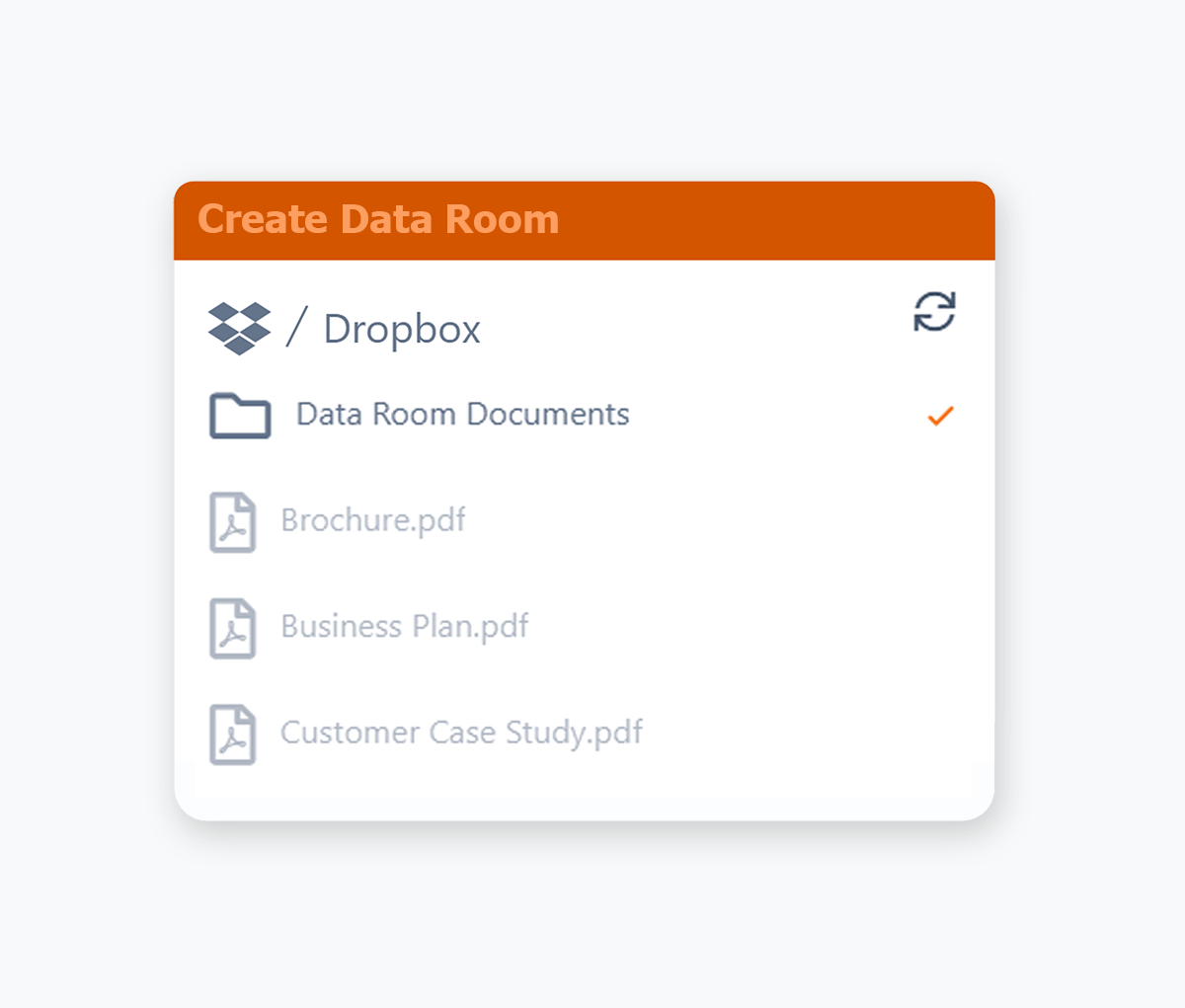
Virtual Data Rooms for Dropbox
Connect your Dropbox account and instantly transform any folder into a secure, trackable virtual data room without the need to upload files.
- Turn any Dropbox folder into a secure, trackable virtual data room without uploading a single file.
- Connect Dropbox and instantly share existing folders as branded, secure data rooms.
- Add new documents to your Dropbox folder and we'll sync them with your data room.
- Combine Dropbox storage with Orangedox security, tracking, and access controls for your deals.
Document Tracking
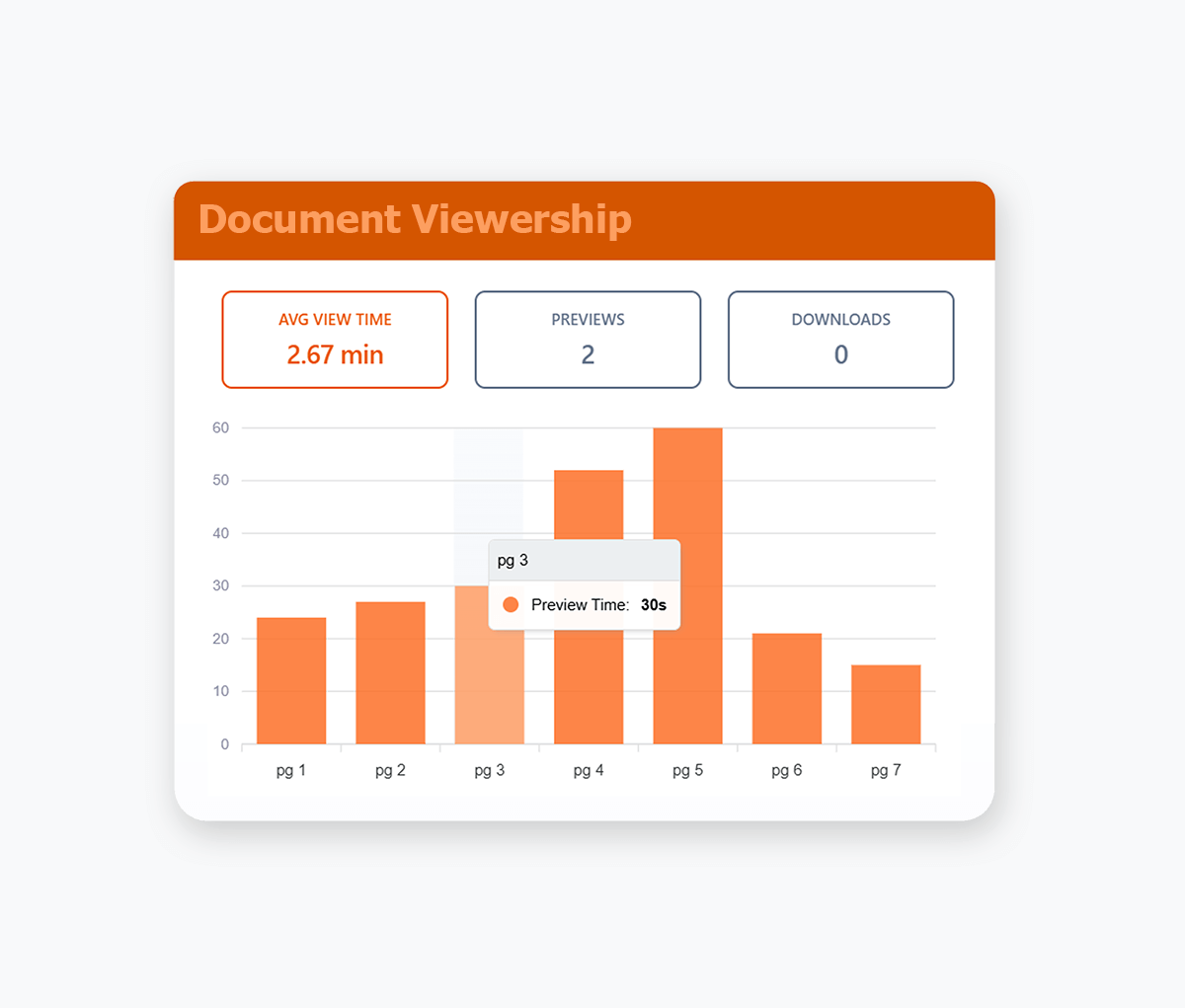
Page by Page Document Tracking
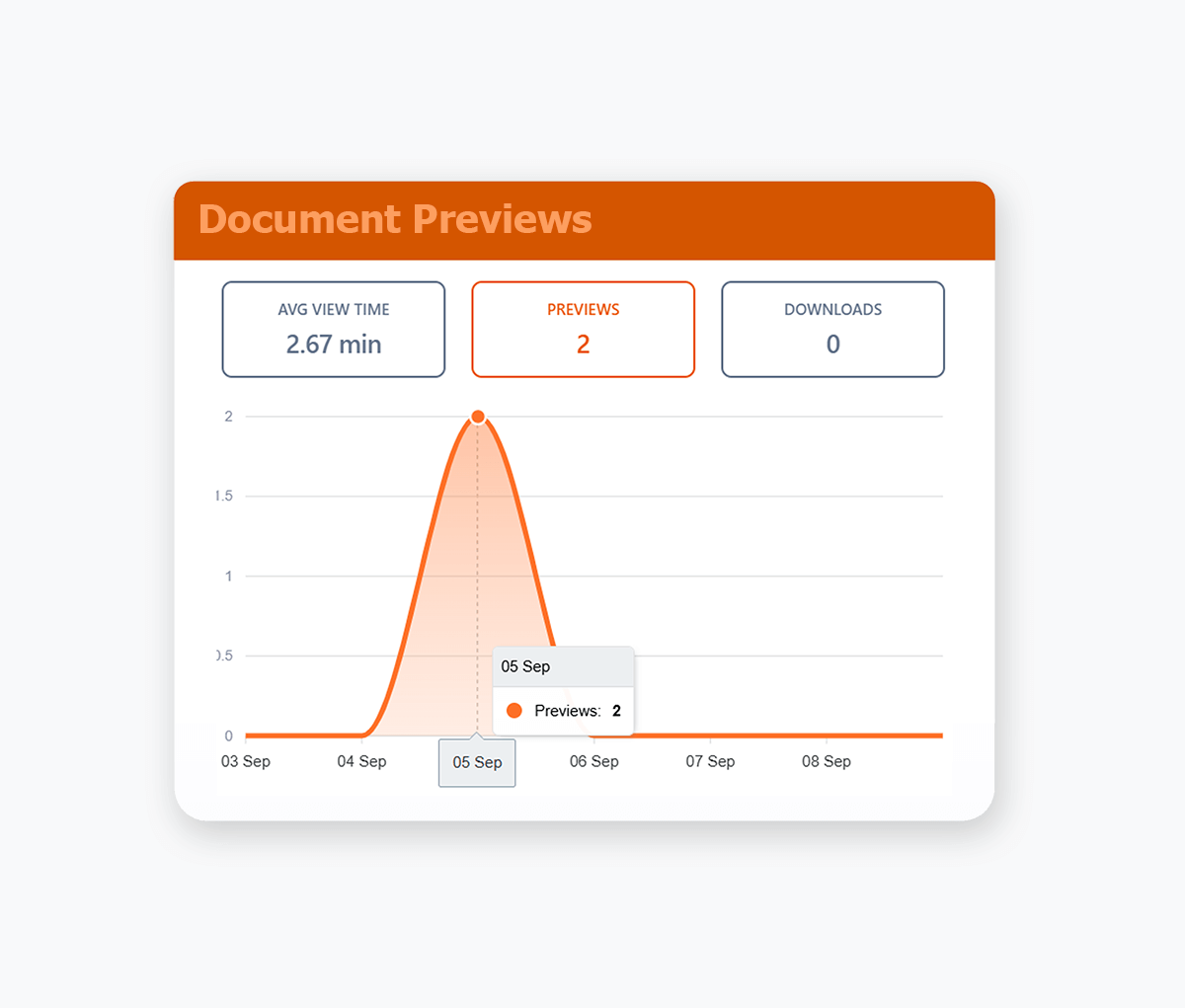
Track your documents, right down to the pages that your recipients view, including how long they stay on each page.
- See page-by-page engagement for every recipient, including which sections they've focused on'.
- Get real-time notifications when someone opens your documents so you know when to follow up.
- Track engagement across documents, videos, and audio files to see what content actually resonates.
- Identify which sections cause drop-off so you can tighten your decks and documents over time.
- Compare engagement across recipients to spot your most serious buyers or investors at a glance.
Online Document Preview
Preview Files Directly in the Browser
Preview documents, images, videos, and files in your browser. Support for Google Docs, PDFs, Office and 25+ other formats.
- Keep the experience seamless by letting viewers open everything in one secure, branded viewer.
- Combine preview with download controls so you decide which files can be saved and which stay view-only.
- Automatic synced with your Google Drive or Dropbox.
- PDF Documents, Google Docs/Sheets/Slides, MS Word & Powerpoint, Video, Images, Audio Files, Text files and more.
Bulk Downloading
Download Multiple Documents at Once
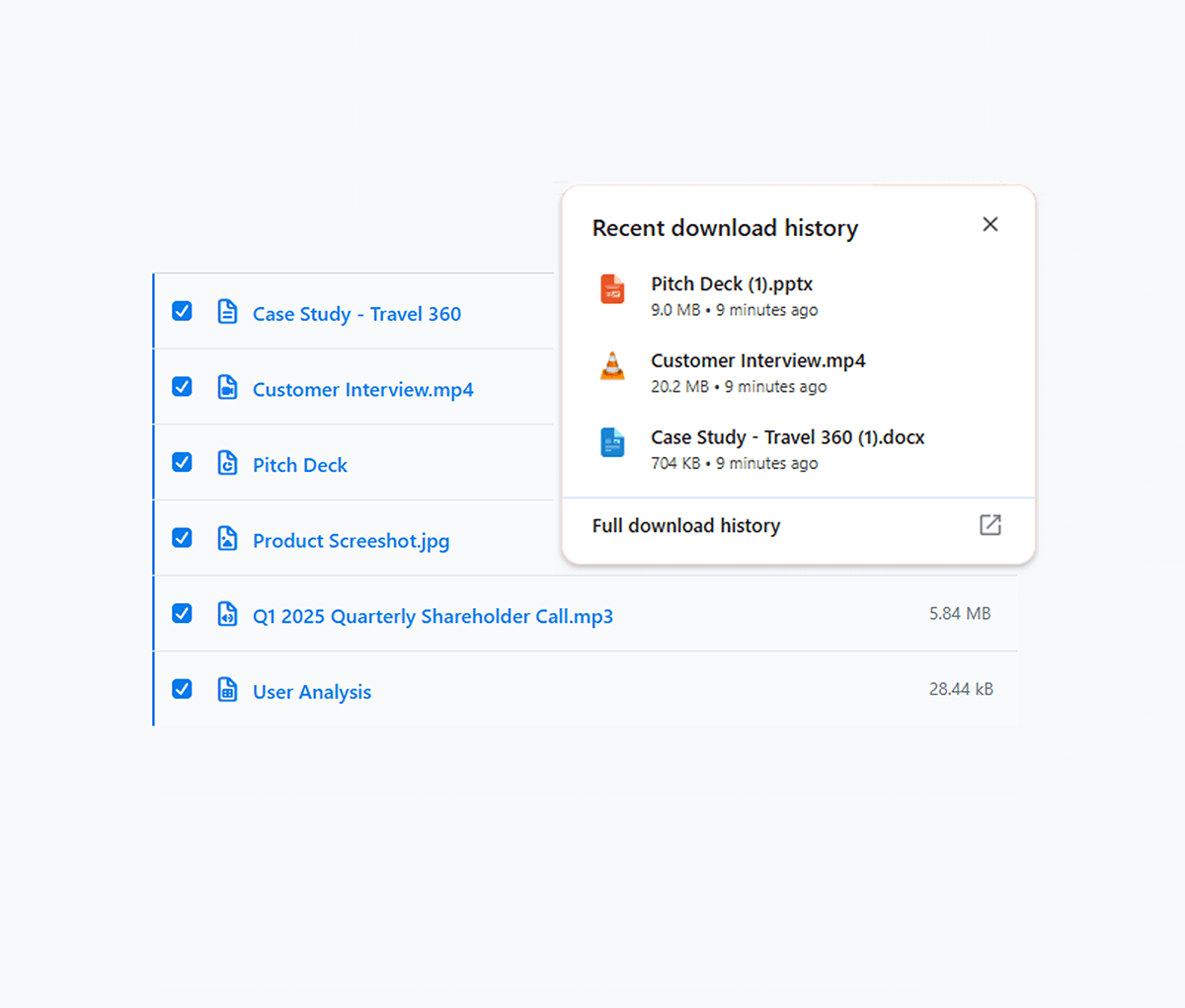
Allow your recipients to download multiple files at once from your data room.
- Allow recipients to select multiple files for downloading.
- Track viewing time, page interactions and user engagement.
- Save time for investors, legal teams, and clients who need local copies of many documents.
- Respect your existing download permissions, so bulk download is only available when needed.
Branding
Custom Document Branding
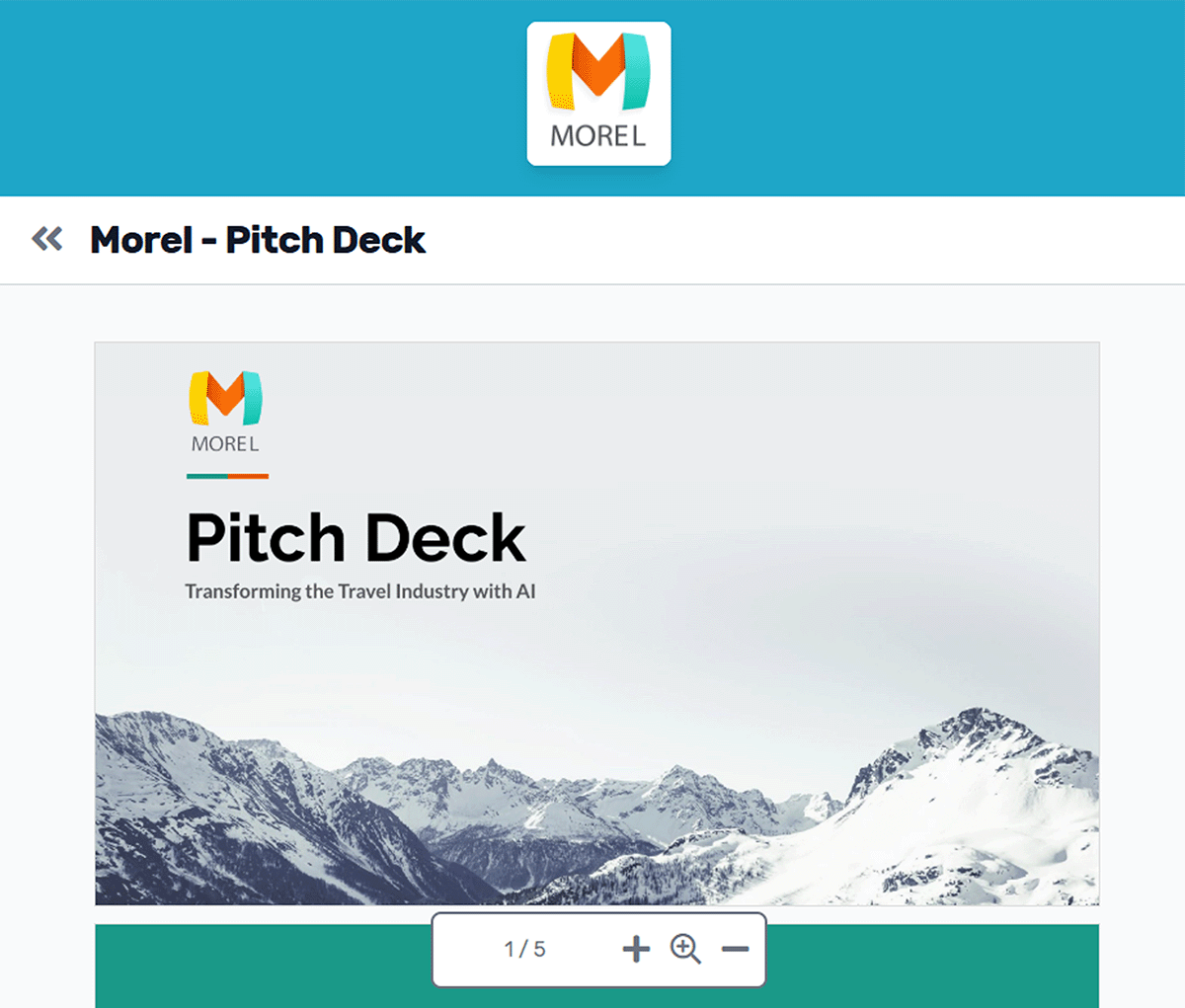
Customize your virtual data rooms & shared documents with your logo & colour scheme.
- Replace generic Google Drive and Dropbox share links with professional branded documents.
- Apply consistent corporate branding to build client confidence and trust.
- Maintain credibility when sharing confidential documents, proposals, and contracts.
- Enforce brand guidelines automatically to maintain professional standards and corporate identity.
- Customize color schemes for headers and fonts to match your corporate brand guidelines and visual identity.

We used Orangedox to host our data room for our mergers and acquisitions .. it provided easy access for our clients and reduced the number of steps needed to create and share the data rooms.
Jim Yerxa
President, Atlantic Mergers
Which platform fits your workflow?
Onehub is optimized for straightforward collaboration portals. Orangedox is optimized for secure external sharing workflows with analytics and diligence infrastructure layered in.

Choose Orangedox when you need
- You need a true virtual data room, not just a portal.
- Your workflow involves fundraising or M&A.
- You need page level engagement analytics.
- You want Google Drive and Dropbox synced sharing.
- Your organization values secure external collaboration.
- You need visibility into investor or buyer interest.
Frequently asked questions
Your questions answered.
How to cite this page
Orangedox. (2026). "Onehub vs Orangedox." Orangedox. https://www.orangedox.com/vs/onehub-vs-orangedox (accessed 2026-10-19).
Ready to create your data room?