

DocSend vs Orangedox
DocSend requires uploading files and caps storage per plan. Orangedox syncs directly with your Google Drive or Dropbox for unlimited data rooms, storage, and documents, with NDA gating and page-by-page analytics built in, at up to 60% less.










Customers
Hear what our customers have to say.


TL;DR DocSend vs Orangedox, in one paragraph
DocSend is a document sharing and analytics tool that adds data-room features like NDAs and watermarking on its pricier Advanced and Enterprise tiers. Orangedox turns your existing Google Drive into a full data room from the start, NDA gating, permissioning, and per-page analytics included, with flat-rate plans from $95/month covering unlimited rooms and storage, versus DocSend's $250+ plans for comparable functionality.
- DocSend layers data-room features (NDAs, watermarking) onto its higher-priced tiers.
- Orangedox works directly inside your Google Drive no migration, no separate storage.
- Flat-rate plans start at $95/month with unlimited rooms and storage, vs. DocSend's $250+ for comparable features.
Ask an AI about this
One click opens your preferred AI with a pre-loaded prompt referencing this page - so the answer cites Orangedox accurately.




Comparison
Orangedox vs DocSend
Compare Orangedox to DocSend
 | | |
|---|---|---|
Pricing Save up to 60% | $95 per month | $250* per month |
Admins | 2 | 3 |
Unlimited Data Rooms | ||
Unlmited Storage | 50GB per User Limited | |
Unlmited Documents | 4000 Documents Limited | |
Google Drive Folder Sync Entire Folders Synced with Google Drive | - | |
Dropbox Folder Sync Entire Folders Synced with Dropbox | - | |
Page-by-Page Analytics Document Tracking | ||
NDA Gating Gated data rooms and shared files |
Seamless Integration
Integrates with Google Drive and Dropbox
No uploading required and any changes are automatically synced.
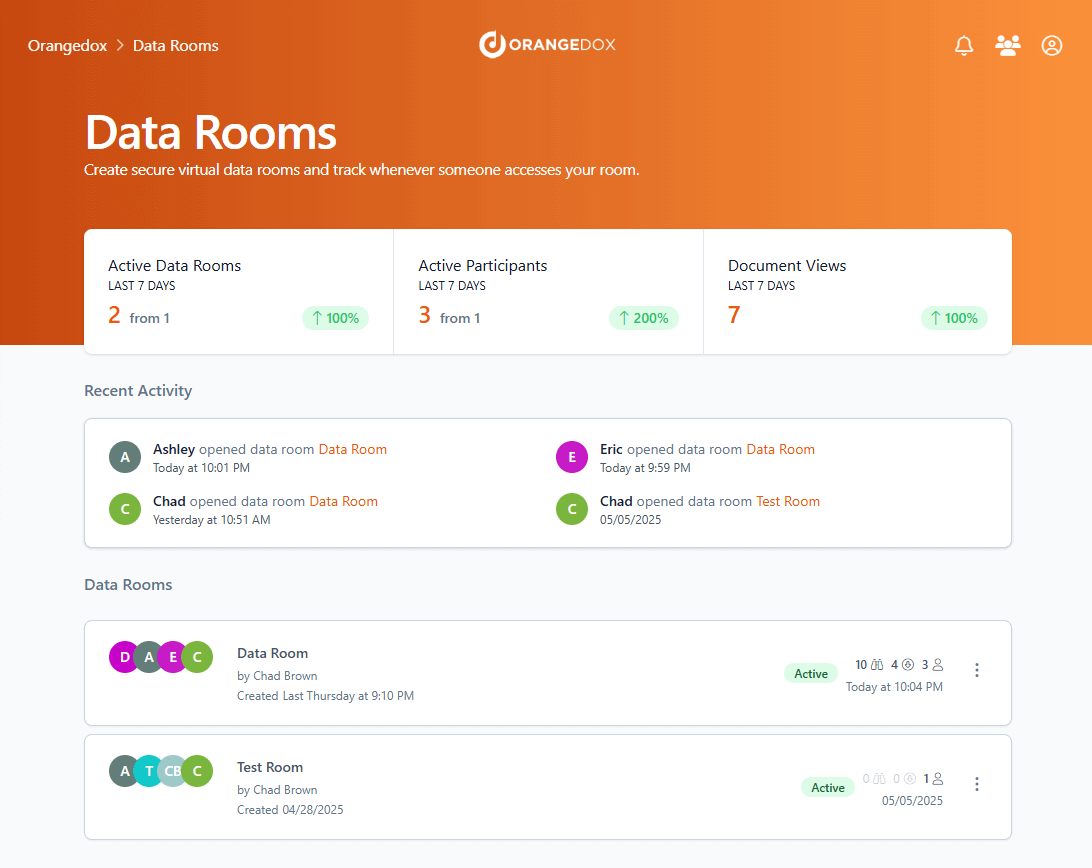
- Use your existing Google Drive, easily create a data room from Google Drive.
- Use your existing Dropbox, easily create a data room from Dropbox.
Document Tracking
Page by Page Document Tracking
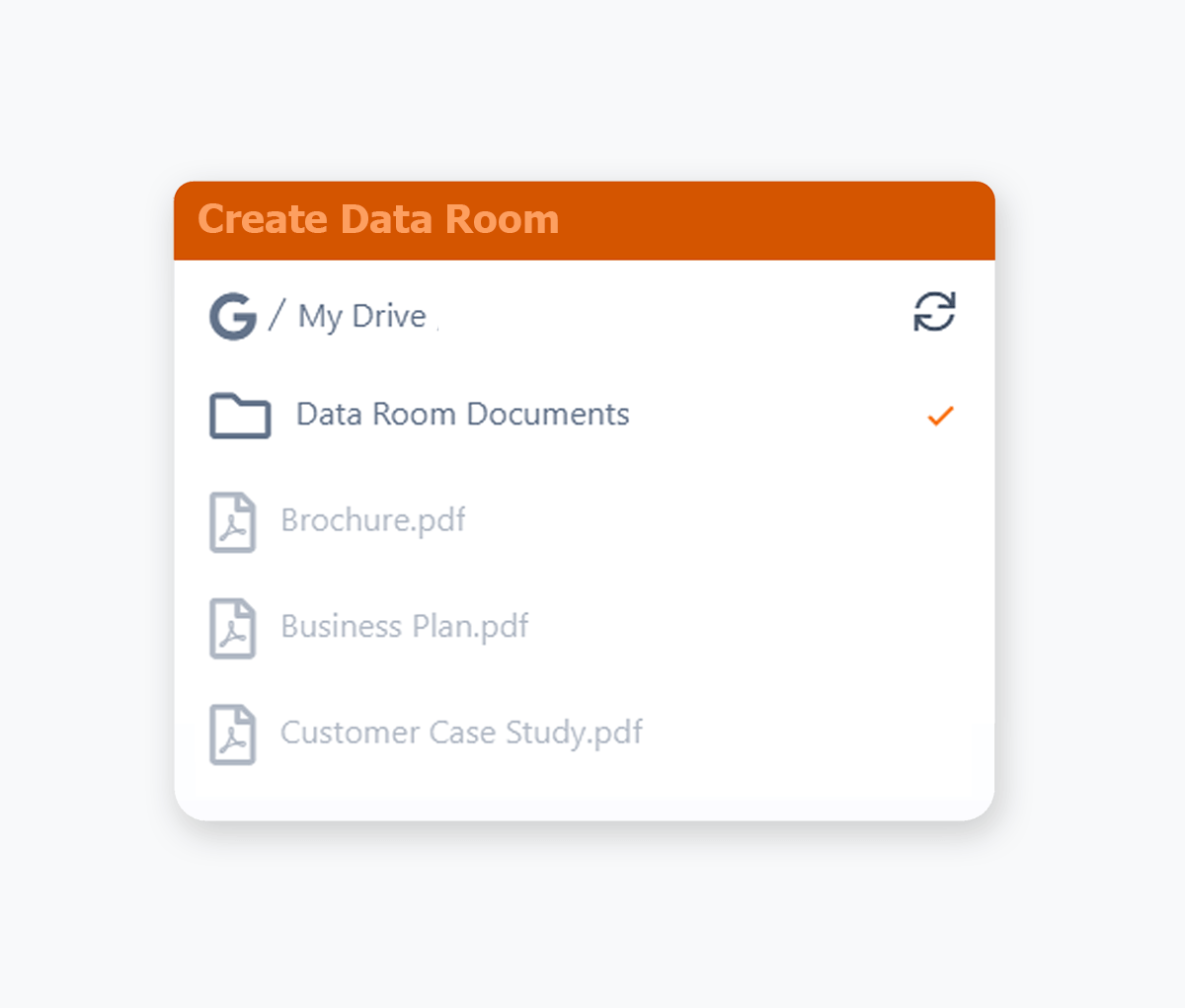
Track your documents, right down to the pages that your recipients view, including how long they stay on each page.
- See page-by-page engagement for every recipient, including which sections they've focused on'.
- Get real-time notifications when someone opens your documents so you know when to follow up.
- Track engagement across documents, videos, and audio files to see what content actually resonates.
- Identify which sections cause drop-off so you can tighten your decks and documents over time.
- Compare engagement across recipients to spot your most serious buyers or investors at a glance.
Access Requests
Data Room Access Requests
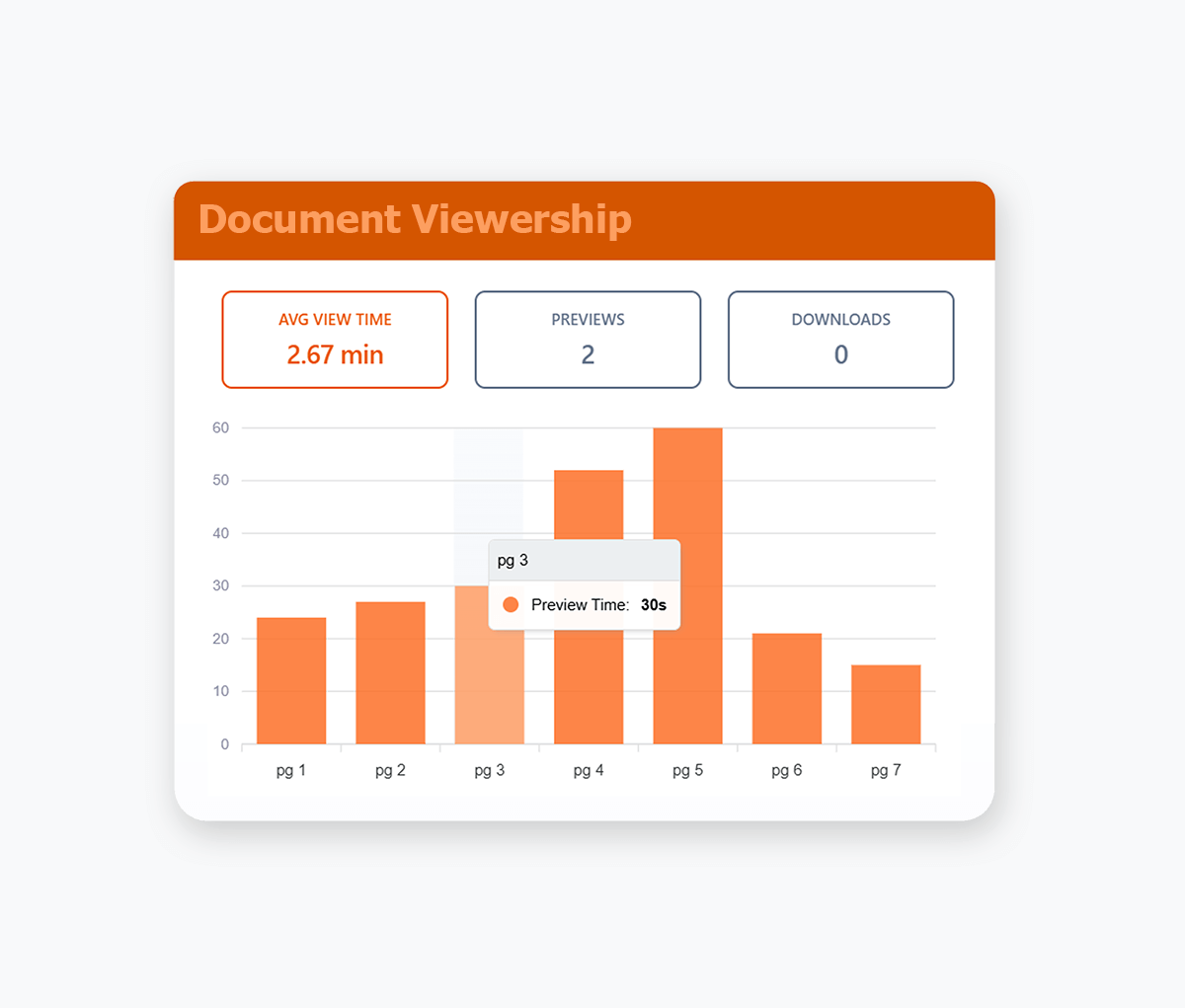
Share one secure link and let participants request access. Approve or deny in one-click.
- Send a single link to multiple participants
- Streamline invitations without adding every email.
- Generate a request link directly from your data room, no configuration needed.
- Receive instant email alerts for each access request and approve or deny in one click.
Dynamic Watermarking
Recipient Email Watermarking
Dynamically applied watermarks with each recipient's unique email address.
- Ensure confidential documents are shared with accountability.
- Dynamically applied whenever your recipients view or download your documents.
- Know exactly who has shared your document with email recipient watermarking.

Branding
Custom Document Branding
Customize your virtual data rooms & shared documents with your logo & colour scheme.
- Replace generic Google Drive and Dropbox share links with professional branded documents.
- Apply consistent corporate branding to build client confidence and trust.
- Maintain credibility when sharing confidential documents, proposals, and contracts.
- Enforce brand guidelines automatically to maintain professional standards and corporate identity.
- Customize color schemes for headers and fonts to match your corporate brand guidelines and visual identity.

We used Orangedox to host our data room for our mergers and acquisitions .. it provided easy access for our clients and reduced the number of steps needed to create and share the data rooms.
Jim Yerxa
President, Atlantic Mergers
Which platform fits your workflow?
DocSend became the go to for sharing fundraising decks because investors already recognize the links. Orangedox becomes the better fit once teams outgrow simple deck links and need cloud native diligence infrastructure instead of upload based document sharing.

Choose Orangedox when you need
- Your company already works in Google Drive or Dropbox and you do not want duplicate uploads.
- You want page level analytics across Google Docs, Sheets, Slides, PDFs, and entire folders.
- You need scalable investor or buyer collaboration across multiple active rooms.
- You want secure sharing with NDA gating, watermarking, and access-request workflows built in.
- Your team values operational simplicity instead of managing yet another storage layer.
Frequently asked questions
Your questions answered.
How to cite this page
Orangedox. (2026). "DocSend vs Orangedox." Orangedox. https://www.orangedox.com/vs/docsend-vs-orangedox (accessed 2026-10-19).
Ready to create your data room?